Cet article n’est pas encore disponible en français : il est affiché en anglais.
Nano Banana Prompts: 6 Copy-Paste Prompts With Real Results (2026 Guide)
The prompt formula that works best with Google's Nano Banana image model, plus six copy-paste prompts for product shots, food, illustration, posters with text, portraits and interiors, each with the unedited result.
Par Opeek5 min de lecture
Short answer: the best Nano Banana prompts read like a photographer's brief, not a list of keywords. Name the subject, the setting, the light, the camera or style, and the exact text you want in the image, in plain sentences. Below are six copy-paste prompts with their real, unedited results from Nano Banana 2 on inker. Each cost 11 coins at default settings.
What is Nano Banana?
"Nano Banana" is the popular nickname for Google's Gemini image models. It is known for photorealism, readable text inside images and precise edits. On inker you can use several versions: Nano Banana 2 for fast, reliable everyday images, Nano Banana Pro for the highest quality, and Nano Banana Pro Edit to change a photo you upload.
The Nano Banana prompt formula
Nano Banana reasons about your prompt instead of matching keywords, so describe the scene the way you would brief a photographer or illustrator:
- Subject: what it is, with material, color and condition ("a matte sage-green ceramic mug").
- Setting: where it is and what is around it ("on travertine, coffee beans nearby").
- Light: direction, color and mood ("morning sun through a window, palm-leaf shadows").
- Camera or style: lens, aperture or medium ("100mm macro, f/4" or "flat screen-print").
- Text and constraints: exact words in quotes, plus what to avoid ("reads exactly …", "no logo").
Keep it to 2–4 sentences. Longer prompts are fine, but every phrase should add something visible.
1. Product photography prompt
A matte sage-green ceramic coffee mug on a slab of travertine stone, morning sunlight through a window casting soft palm-leaf shadows across the scene, a few roasted coffee beans scattered nearby, steam rising from the mug. Shot on a 100mm macro lens at f/4, shallow depth of field, warm neutral color grade, premium e-commerce product photography, no text, no logo on the mug.
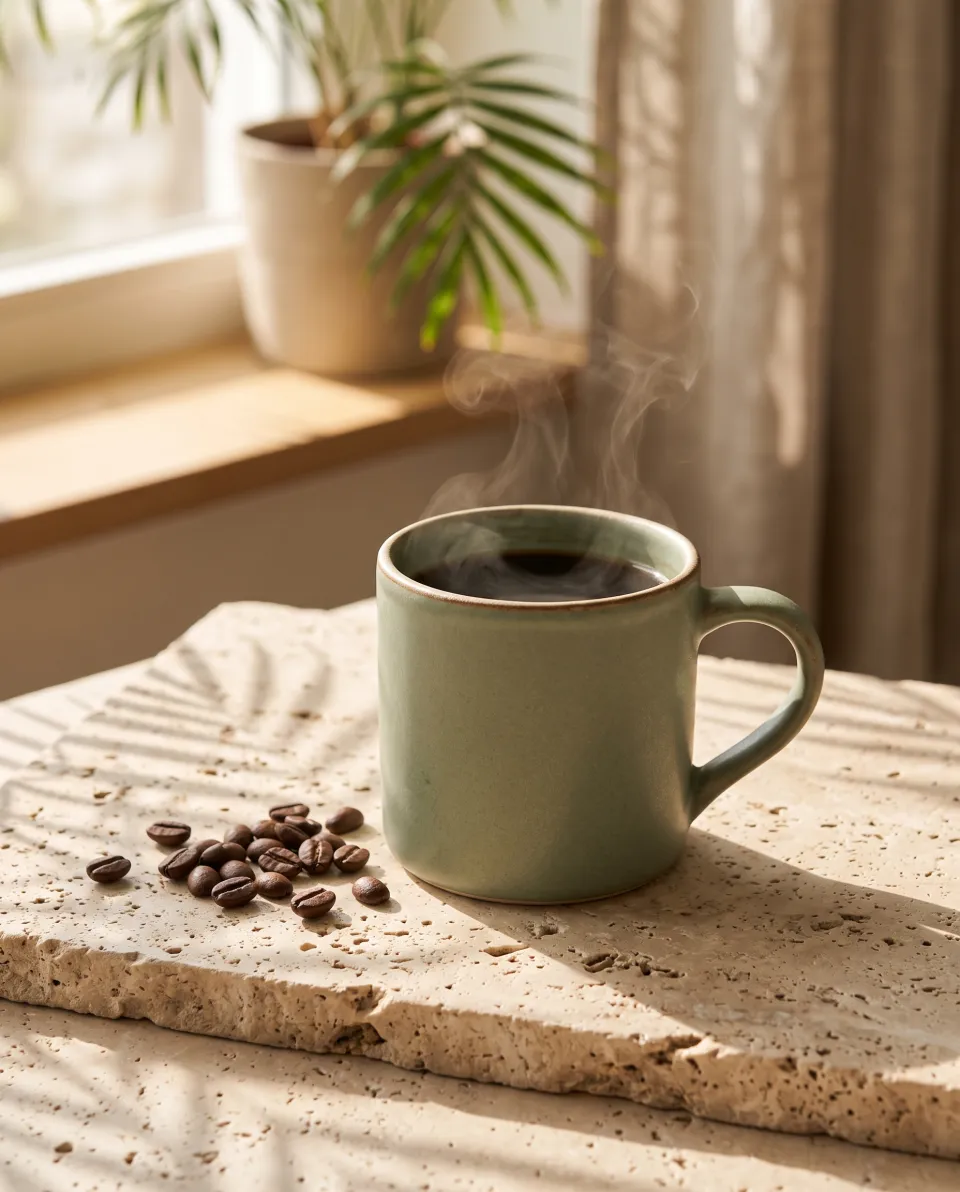
Why it works: the lens and aperture set the look, the shadows add depth, and "no logo" keeps the product clean for your own branding. Aspect ratio 4:5 suits Instagram and product listings.
2. Food photography prompt
Overhead flat-lay food photograph of a rustic bowl of ramen with a soft-boiled egg, chashu pork, nori and spring onions, on a dark walnut table with chopsticks and a small dish of chili oil. Moody side light from the left, deep shadows, glistening broth, editorial cookbook style, natural colors.
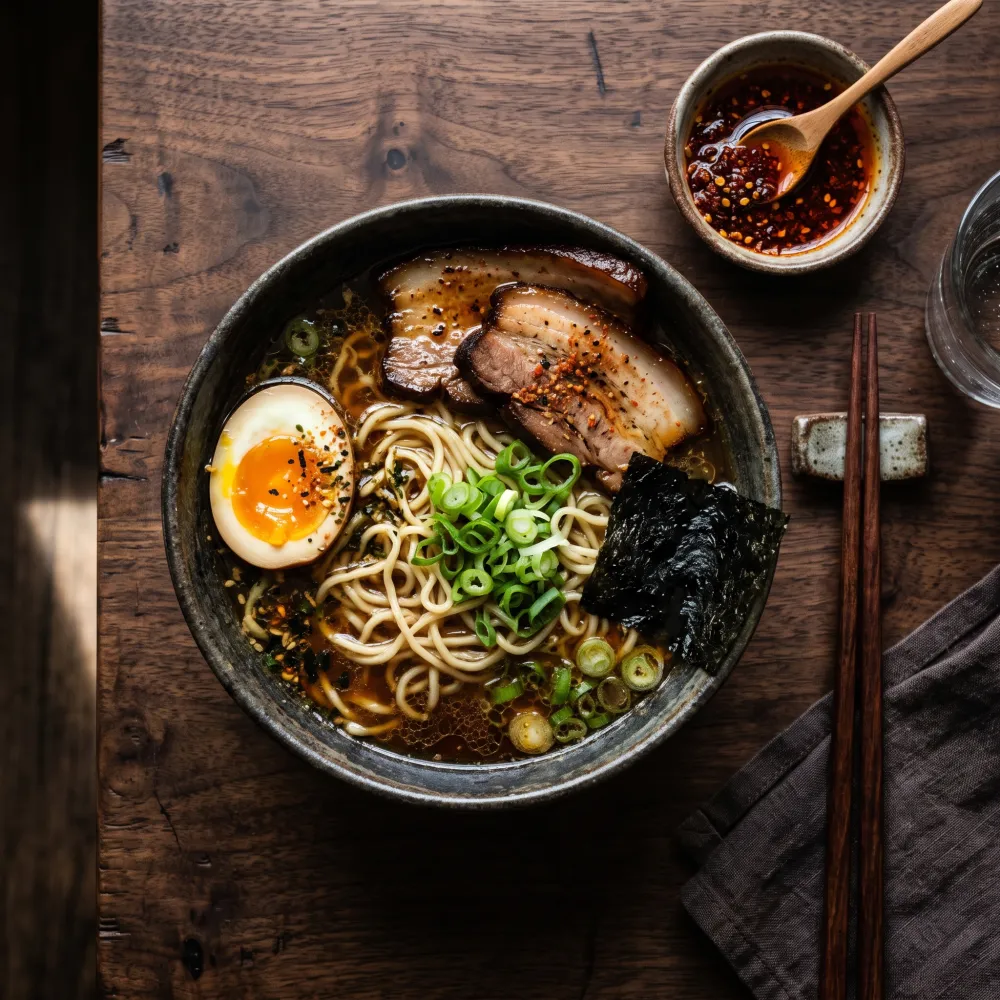
Why it works: "overhead flat-lay" fixes the camera angle, and naming each ingredient keeps the dish accurate. "Side light from the left" gives the moody, editorial contrast.
3. Isometric illustration prompt
Isometric 3D illustration of a tiny cozy bookshop on a floating island, warm lights in the windows, a cat sleeping on the doorstep, potted plants, a winding path and a small lantern, soft pastel colors, clean shading, cute miniature diorama style, plain light cream background.
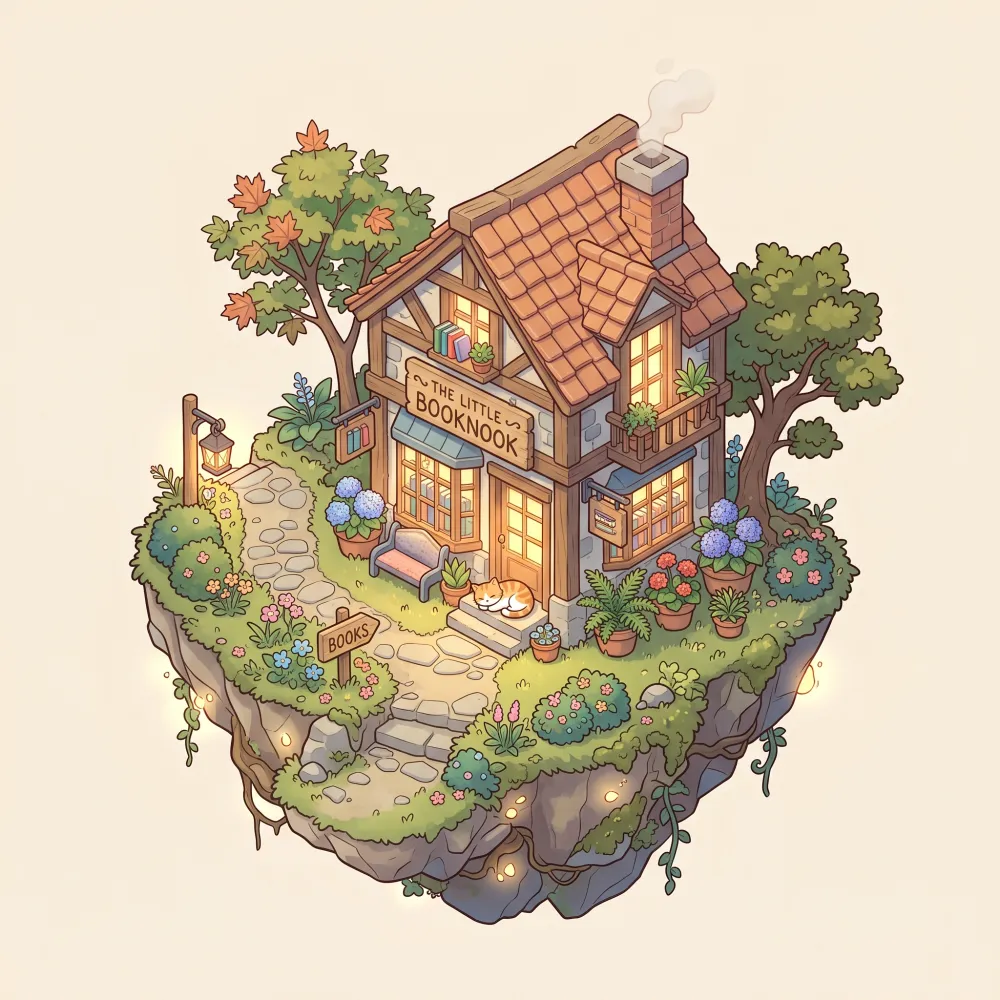
Why it works: "isometric" and "miniature diorama" define the style, and the plain background makes it easy to cut out for a website or app. Nano Banana even invented a fitting shop sign on its own.
4. Poster with text prompt
A vintage travel poster for a fictional coastal town. Large bold serif headline at the top that reads exactly "VISIT SOLMARE", and a smaller line at the bottom that reads exactly "Sun · Sea · Slow days". Illustration of turquoise water, white cliffside houses and a red sailboat, flat screen-print style with grain texture, limited palette of teal, cream, coral and navy.
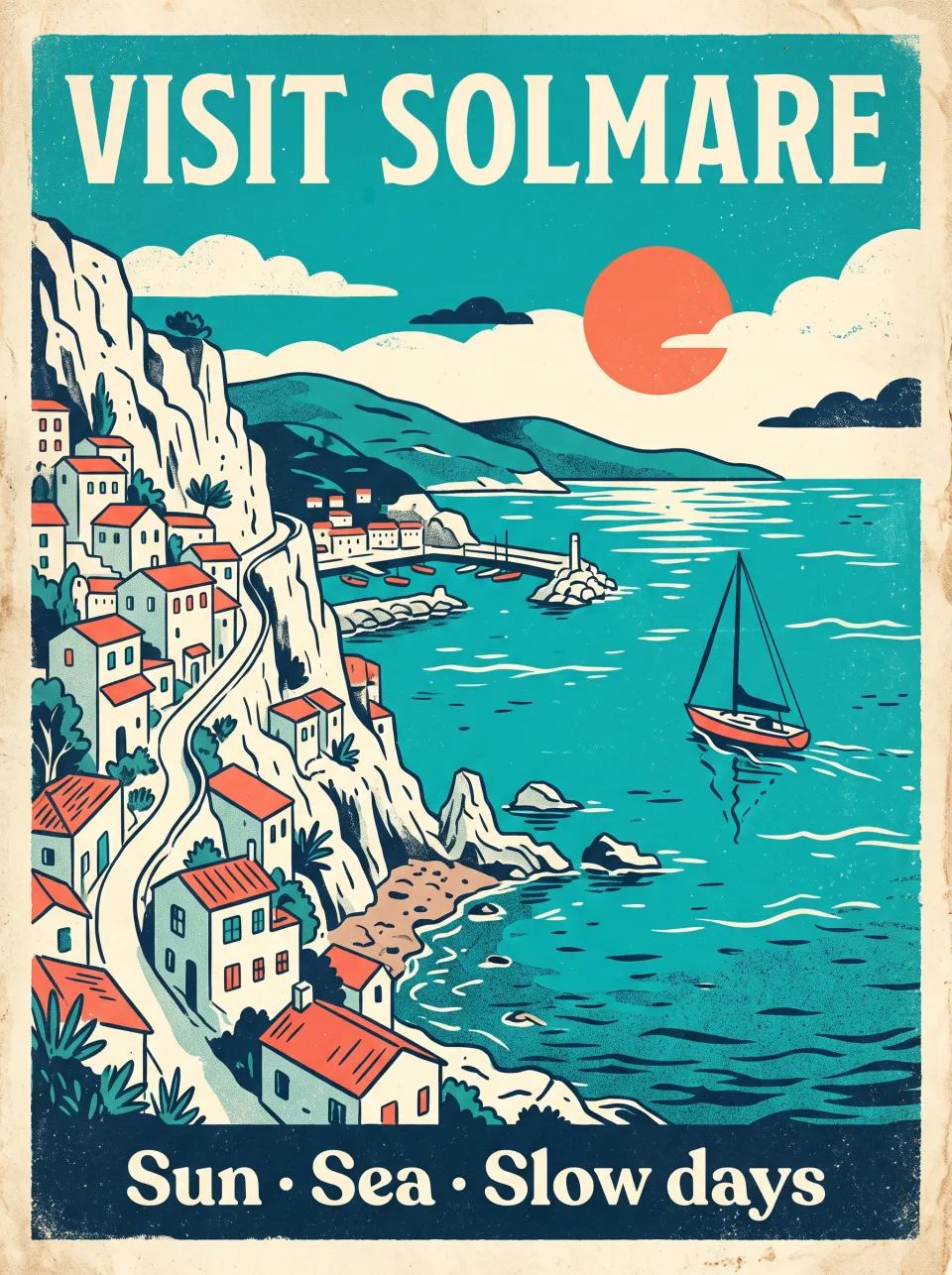
Why it works: put text in quotes and say "reads exactly". Nano Banana rendered both lines letter-perfect. A limited palette is what makes it look like a real screen print.
5. Cinematic portrait prompt
Cinematic portrait of a fictional elderly lighthouse keeper with a weathered face and a grey knit beanie, standing at a rain-streaked window at dusk, warm tungsten lamp light on one side of his face and cool blue twilight on the other. 85mm lens, f/1.8, shallow depth of field, subtle film grain, muted teal and orange color grade.
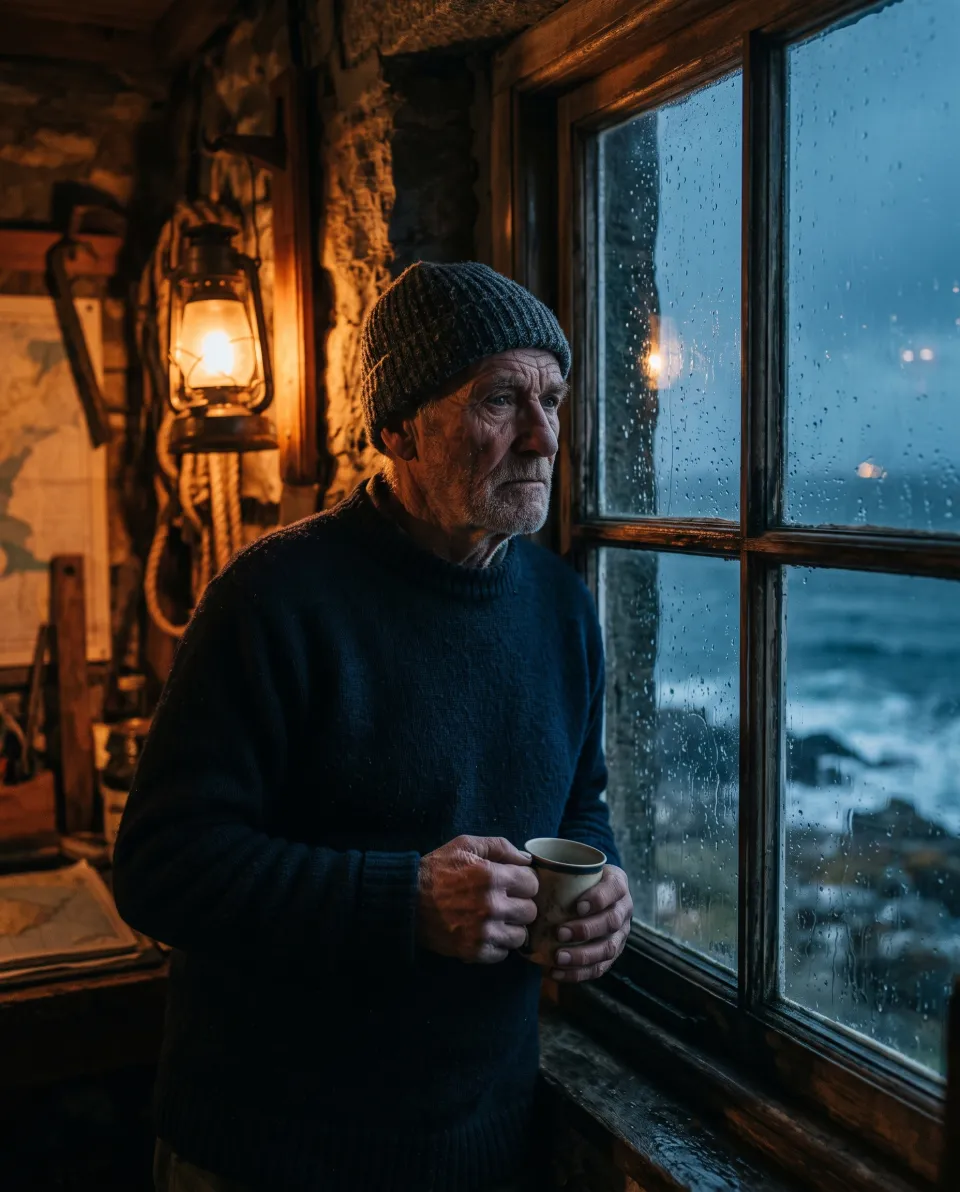
Why it works: two light sources with two colors (warm lamp, cool twilight) create the film look. "Fictional" makes clear this is an invented character, not a real person.
6. Interior design prompt
Interior design render of a small Scandinavian living room: light oak floor, a low boucle sofa in off-white, a round travertine coffee table, a large arched window with linen curtains, a tall fiddle-leaf fig plant and a single abstract artwork in muted earth tones. Soft diffuse daylight, wide-angle 24mm, architectural photography, calm and airy.
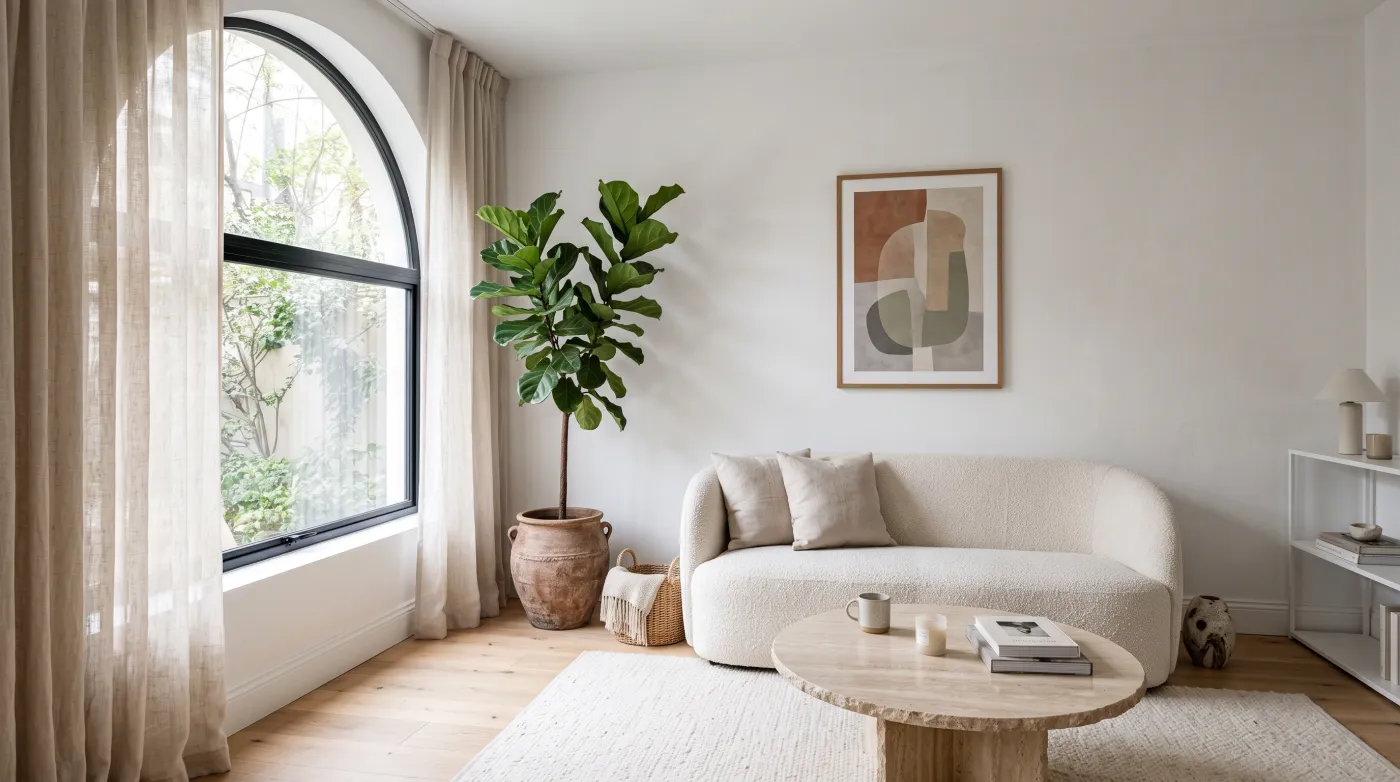
Why it works: listing materials (oak, boucle, travertine, linen) is the fastest way to control an interior's mood. "Wide-angle 24mm, architectural photography" gives realistic proportions.
7 tips for better Nano Banana results
- Write sentences, not tags. "A red sailboat in turquoise water" beats "sailboat, red, water, turquoise".
- Quote exact text and add "reads exactly". Keep headlines short (2–4 words).
- Name the light. Direction plus color temperature does more than "beautiful lighting".
- Use camera language for photos (85mm portrait, 24mm interior, 100mm macro product).
- Pick the aspect ratio for the destination: 4:5 for Instagram, 16:9 for YouTube and blogs, 9:16 for Stories and Reels.
- Say what to leave out ("no text", "no logo", "plain background").
- Iterate on one variable at a time. Change the light or the style, not both, so you learn what each word does.
Nano Banana 2 or Nano Banana Pro?
| Nano Banana 2 | Nano Banana Pro | |
|---|---|---|
| Best for | Fast everyday images, products, text | Complex scenes, maximum detail |
| Coins per image on inker (default) | 11 | 26 |
| Editing version | — | Nano Banana Pro Edit |
Start with Nano Banana 2. If a scene has many people, fine text or tricky reflections, re-run the same prompt on Pro. Prices are shown before every generation and can change with resolution.
Turn your image into a video
Every image above can become a short clip. Upload it to an image-to-video model like Kling 3.0 Turbo or Hailuo 2.3 and describe the motion. Our photo-to-video beginner's guide shows how.
FAQ
What is the best prompt for Nano Banana?
A 2–4 sentence description with subject, setting, light, camera or style, and exact text in quotes. Copy any of the six prompts above and swap the subject.
Can Nano Banana write text in images?
Yes. Nano Banana is one of the most reliable models for readable text. Put the words in quotes, add "reads exactly", and keep each line short.
Is Nano Banana free?
Google offers limited free use in its own apps. On inker, new accounts get 15 free coins (valid 30 days), and a Nano Banana 2 image costs 11 coins at default settings, with no subscription.
Can I use Nano Banana images commercially?
On inker, your outputs belong to you to the extent the law allows. They carry invisible AI metadata and no visible watermark. Disclose AI use when you publish realistic images.
Does Nano Banana work with negative prompts?
It has no separate negative-prompt field. Write exclusions into the prompt itself, such as "no text, no logo, plain background".
À propos de l’auteur
Opeek@opeek
À lire aussi

5 min de lectureEn anglais
AI Image Generator With No Subscription: How Pay-As-You-Go Works in 2026
You don't need a monthly plan to use the best AI image models. Here is how pay-as-you-go AI image generation works, what one image really costs, and when it beats a subscription.
5 min de lectureEn anglais
Best AI Video Generators in 2026: Kling 3.0 vs Veo 3.1 vs Seedance 2.0 vs Hailuo 2.3
We ran the same prompts through Kling 3.0 Turbo and Hailuo 2.3 and compared them with Veo 3.1 and Seedance 2.0. Here is which AI video generator to use for realism, audio, motion and price, with real clips.
2 min de lectureEn anglais
Beginner’s Guide: Turn a Photo into a Short Video with inker
Learn how to animate any still image into a short clip in just a few clicks—no subscription required.