Este artículo aún no está disponible en español, por eso se muestra en inglés.
How to Make Black Friday Ads With AI in One Afternoon (2026 Guide)
Black Friday 2026 is 27 November and Cyber Monday is 30 November. Here is a one-afternoon workflow for a full AI ad set: a sale poster, a hero shot, a gift scene and a vertical video, with the exact prompts, real results and what each piece costs.
Por Opeek6 min de lectura
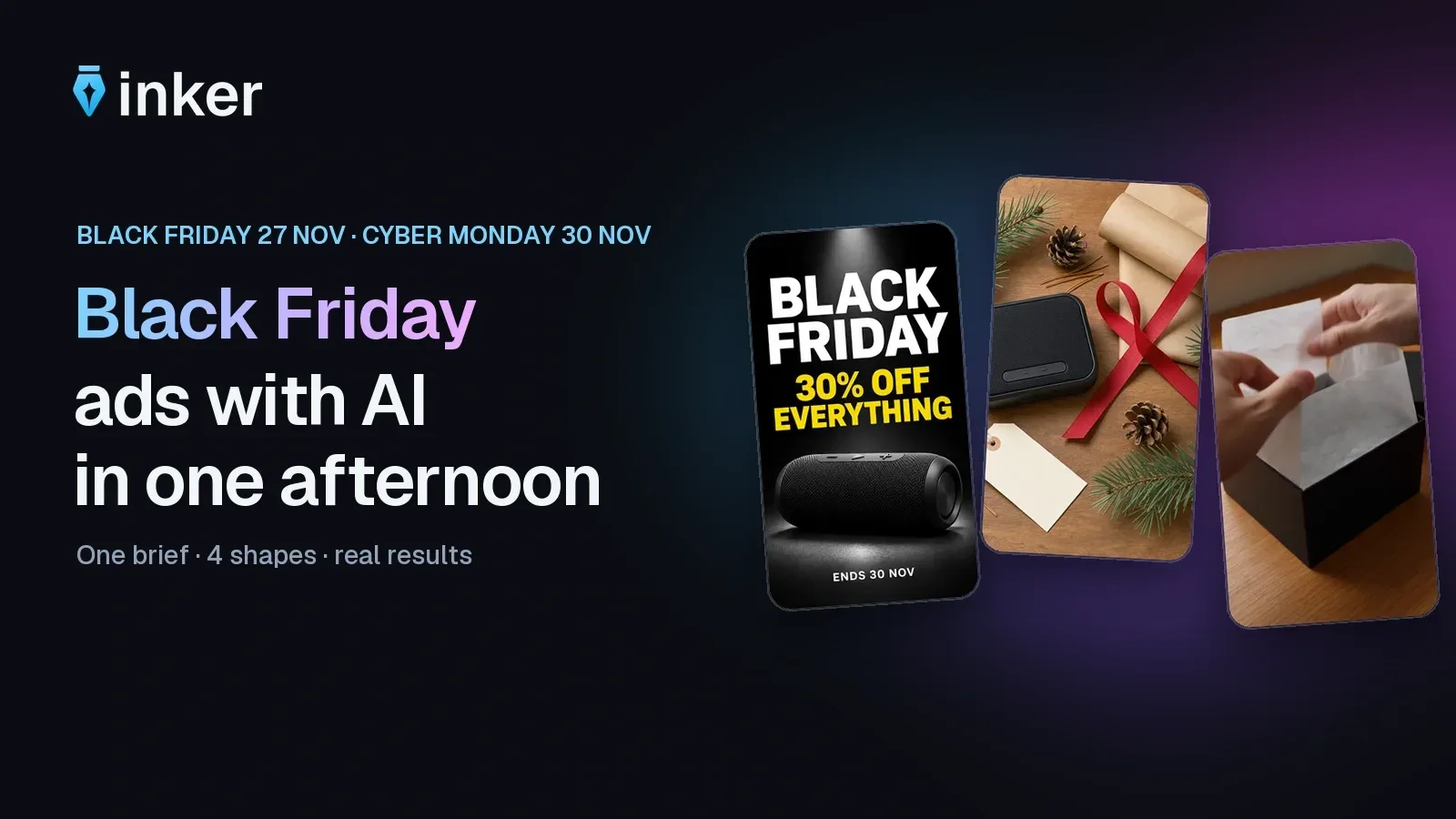
Short answer: to make Black Friday ads with AI, start from one real product photo, generate three stills (a sale poster, a hero shot and a gift scene), animate the best one into a 9:16 video, and add your price and dates yourself. Black Friday 2026 is Friday 27 November and Cyber Monday is Monday 30 November, so make and test your ads now. On inker the whole set below costs 139 coins at default settings, about €1.39, with no subscription.
Why start now?
Adobe forecasts $275.1 billion in US online spending from 1 November to 31 December 2026, up 6.7%. It expects $12.9 billion on Black Friday and $15.1 billion on Cyber Monday, and 57.4% of the season's online spending to happen on phones. That is why every ad here is designed for a small vertical screen first. Ad prices also tend to rise as the sale nears, so test your concepts in the cheaper weeks before it.
What you need before you generate
- One clean photo of your real product. Plain background, good light, the whole product in frame. A phone is fine.
- Your offer in one text file: discount, dates, product name and call to action. Paste from it so every ad says the same thing.
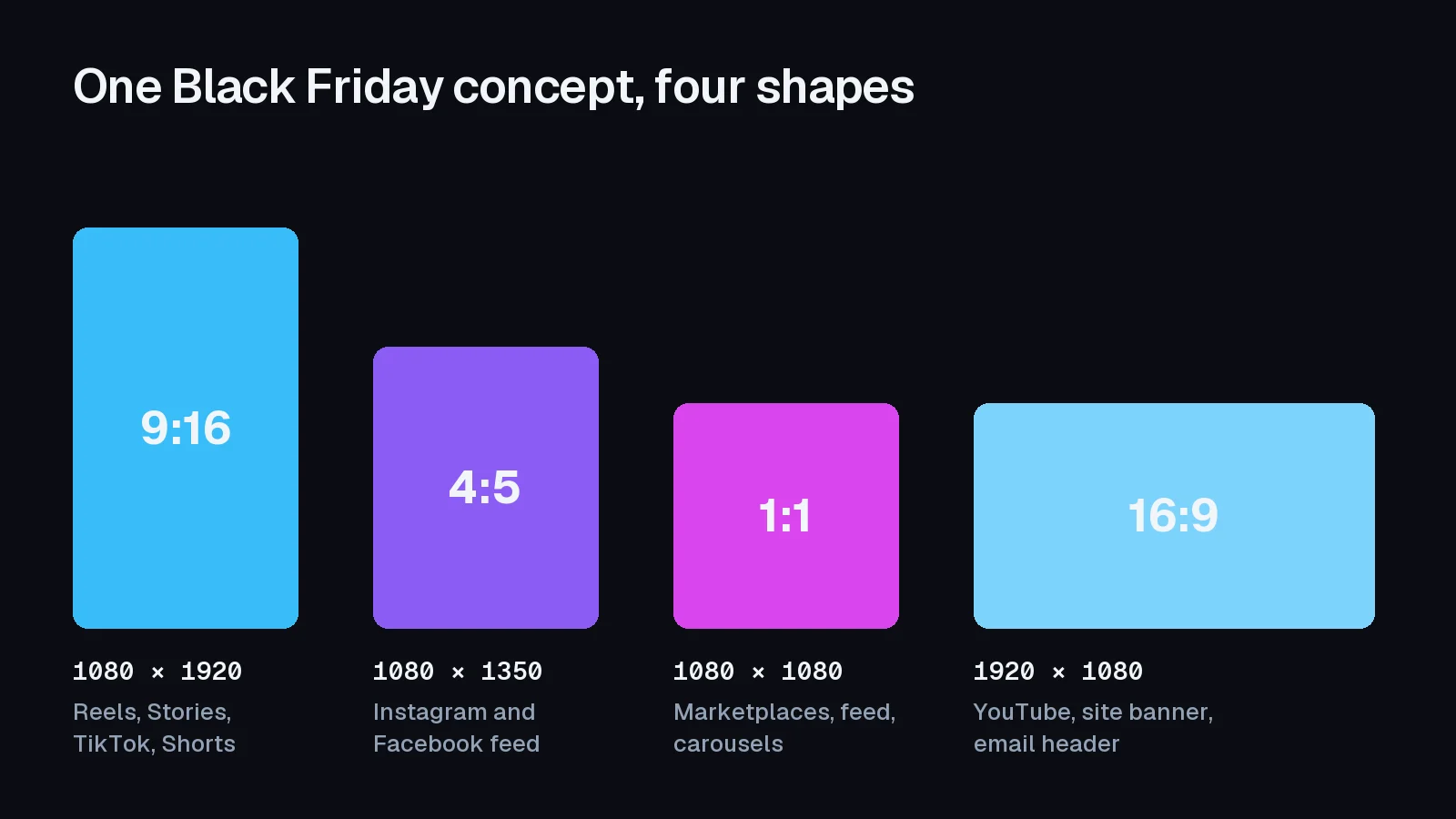
- Four shapes. Make each concept for the placement it will run in instead of cropping one image.
Step 1: the sale poster (text in the image)
Use a model that is good at layout and lettering. Put every word in quotes.
Black Friday sale poster, deep black background, a matte black portable speaker lit from above in the centre, large white bold sans-serif headline that reads exactly "BLACK FRIDAY", below it in bright yellow "30% OFF EVERYTHING", small text at the bottom "ENDS 30 NOV". Minimal, high contrast, premium retail design. No other text, no logos.
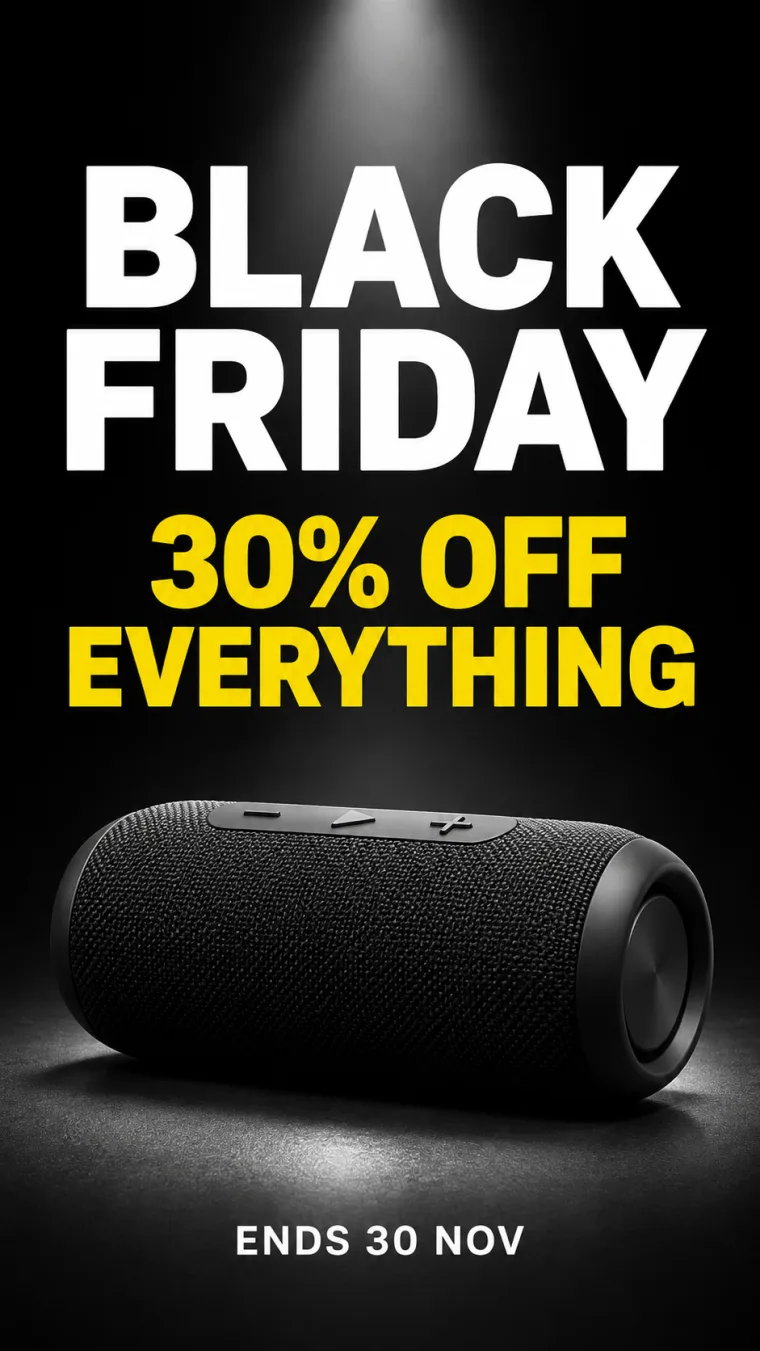
GPT Image 2.6 Flare, 16 coins. Every word came out right on the first try. Proofread anyway: a wrong date in an ad is your problem, not the model's.
Step 2: the hero shot, and why the price goes on last
Generate the scene with no text and leave empty space for the offer.
A matte black portable speaker on a glossy black surface, placed in the lower half of the frame, single warm spotlight, soft reflection, subtle gold particles in the air, luxury studio product photography. The upper third of the image is calm, empty dark space. No text, no logos.
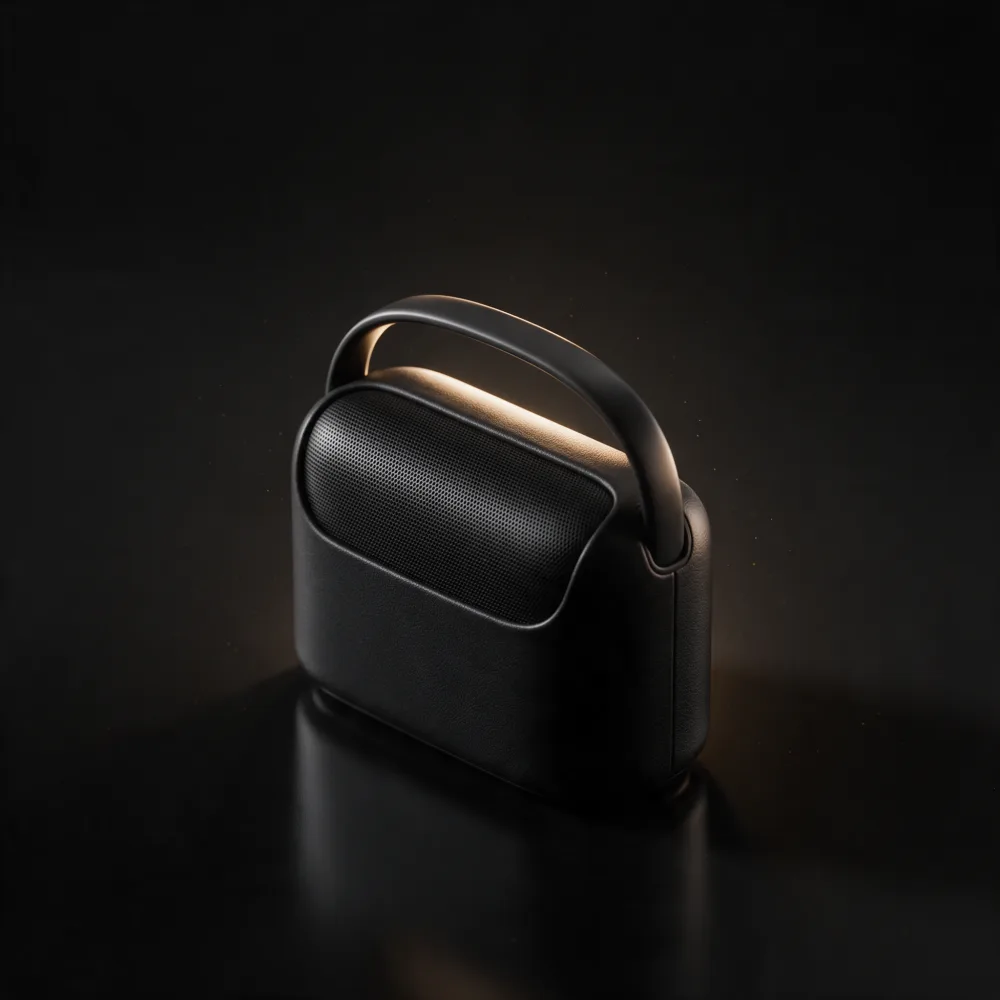
Seedream 5 Pro, 24 coins. The empty space is the point.
Then set the offer in any editor, such as Canva, Figma or your ad platform:
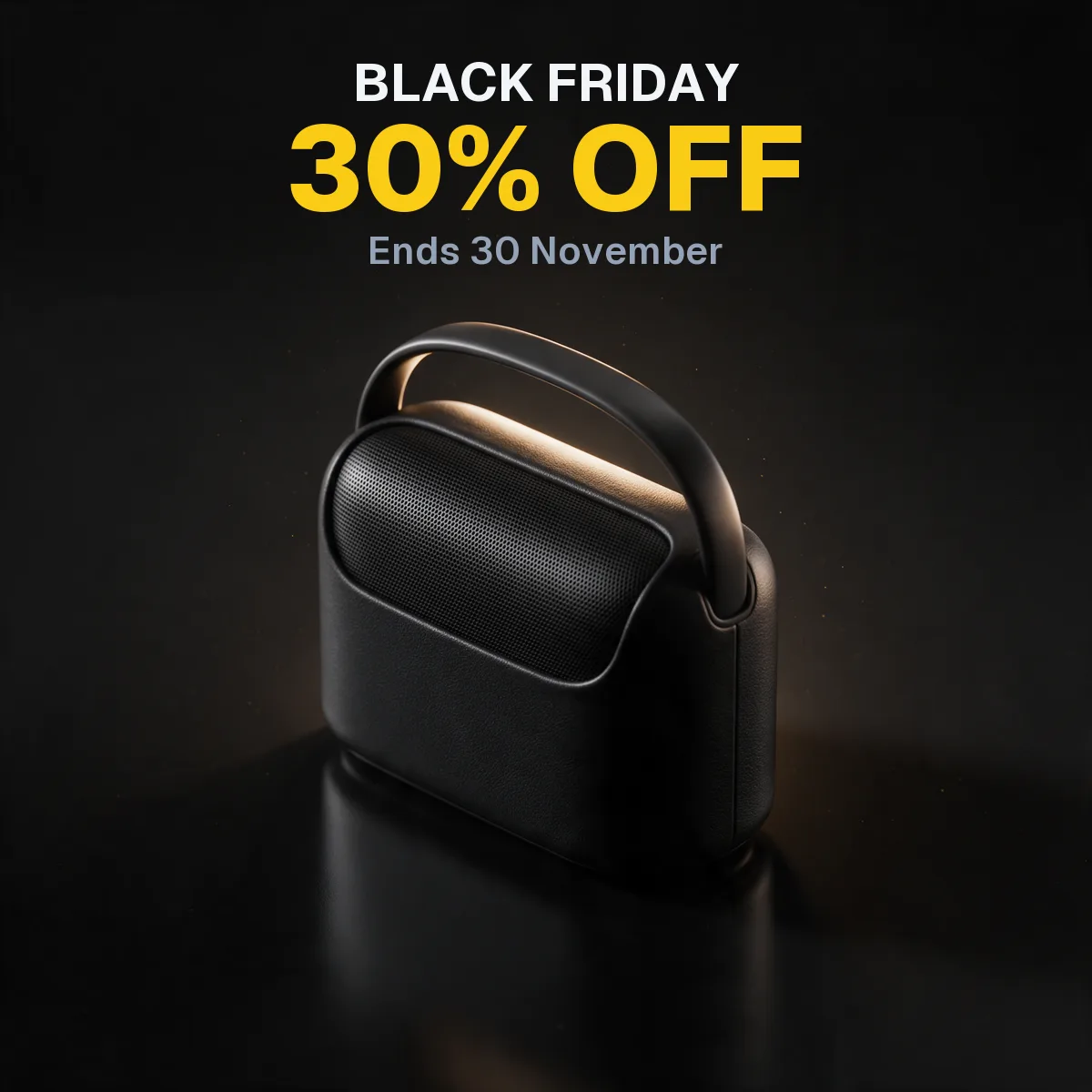
The offer is a text layer, not part of the picture. If the discount changes on Sunday night, you edit one line instead of generating a new image.
Step 3: the gift scene
Black Friday is also the start of gift season, so show the product as a present.
Top-down flat lay of a matte black portable speaker beside kraft wrapping paper, a red ribbon, a blank handwritten-style gift tag and pine sprigs on a warm wooden table. Soft daylight, cozy holiday mood, editorial product photo. No text, no logos.
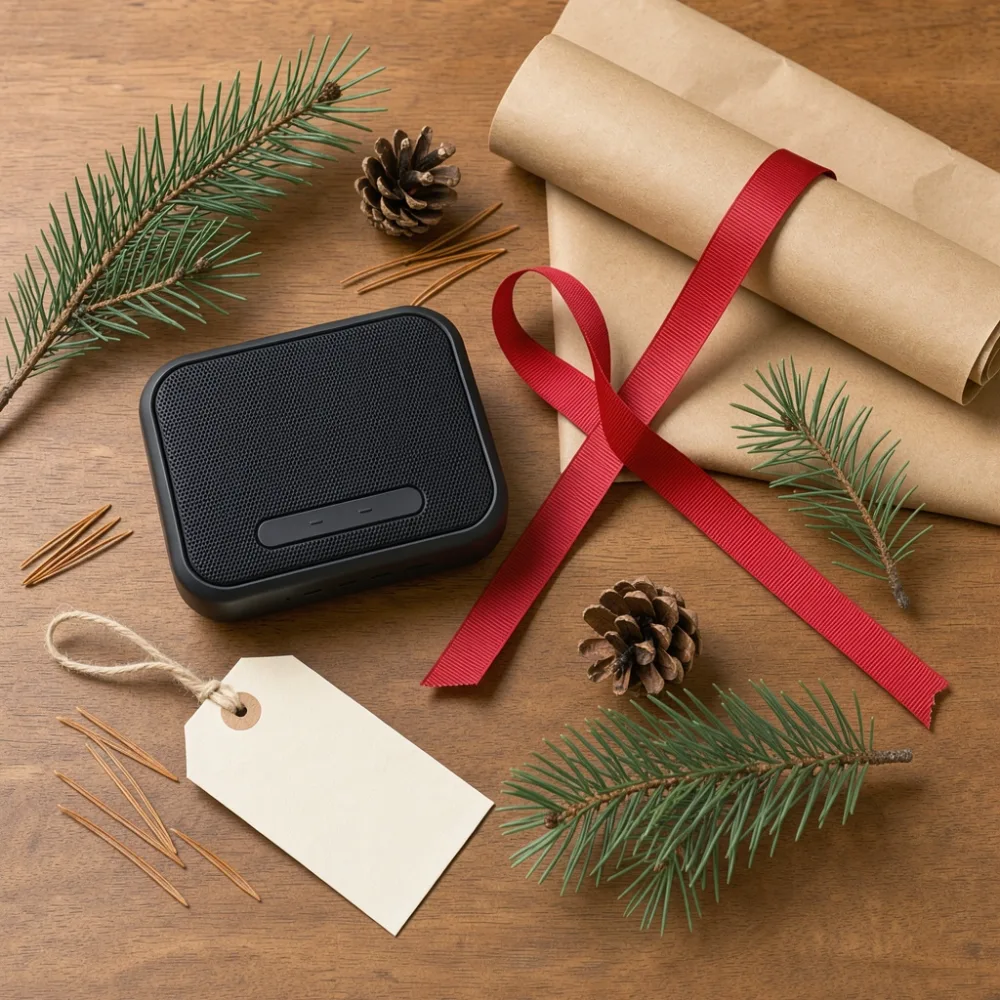
FLUX 3, 18 coins.
Look closely at the three speakers above. One is a cylinder, one has a handle, one is a flat slab. We described the product in words, so each model invented its own. That's fine for a demo and not acceptable for a real ad: a shopper who receives something different will return it. For your real product, upload your photo to an edit model and describe only the new scene:
- GPT Image 2.6 Flare Edit (21 coins) for posters built around your product.
- Nano Banana 2.1 Edit (16 coins) to combine several product photos.
- Seedream 5 Pro Edit (13 coins) for precise changes while the rest stays intact.
Step 4: the vertical video
Start the clip from your best still with image-to-video, so the product stays the same. Our example runs from text alone:
Close-up, two hands open a black gift box on a wooden table, lift the tissue paper and reveal a matte black portable speaker. Natural window light, handheld phone-camera feel, quiet paper sounds.
Kling 4.0 Flash, 5 s, 720p, 81 coins. Hands only means no presenter to cast, and the paper rustle is generated with the picture.
What the set cost
| Piece | Model | Coins (default settings) |
|---|---|---|
| Sale poster | GPT Image 2.6 Flare | 16 |
| Hero shot | Seedream 5 Pro | 24 |
| Gift scene | FLUX 3 | 18 |
| Vertical video | Kling 4.0 Flash | 81 |
| Total | 139 coins ≈ €1.39 |
Prices are inker's defaults at the time of writing, and the studio shows the exact price before every generation. Coins come from one-time packs (from €5) and never expire.
The one-afternoon schedule
- 30 minutes: photograph the product and write the offer file.
- 60 minutes: generate the three stills in draft, then re-run the winners.
- 30 minutes: add the offer as text, and proofread every word and date.
- 45 minutes: animate the best still into a 9:16 clip.
- 30 minutes: export each shape and launch two or three variations, changing one thing at a time.
Planning the offers themselves? See our Black Friday promotion ideas and calendar. For more product shots, read AI product photography.
Rules to follow
- Never present AI-made people as real customers. The FTC's rule on reviews and testimonials bans fake ones, including testimonials from people who don't exist.
- Only advertise discounts that are real. Our promotion guide covers former prices in the US and EU.
- Show the real product. Use edit models with your own photo for anything you actually sell.
- Follow each ad platform's AI labeling rules for realistic content. inker outputs carry invisible AI metadata and no visible watermark.
FAQ
When is Black Friday 2026?
Black Friday is Friday 27 November 2026, the day after US Thanksgiving. Cyber Monday is Monday 30 November 2026.
What is the best AI for Black Friday ads?
Use different models for different jobs. GPT Image 2.6 Flare handled our text poster, Seedream 5 Pro the studio hero shot, FLUX 3 the lifestyle scene, and Kling 4.0 Flash the vertical video. One coin balance on inker covers all of them.
Can AI write the discount on the image?
Yes, and short lines usually come out correct. For anything that might change, generate the scene without text and add the offer in an editor.
How do I keep my product looking the same in AI ads?
Start from a real photo and use an edit or image-to-video model. Described only in words, a product changes from one image to the next, as our example shows.
What size should Black Friday ads be?
Use 1080 × 1920 (9:16) for Reels, Stories, TikTok and Shorts, 1080 × 1350 (4:5) for the feed, 1080 × 1080 (1:1) for marketplaces and carousels, and 1920 × 1080 (16:9) for YouTube and banners.
How much do AI ads cost?
On inker this full set is 139 coins (about €1.39) at default settings. New accounts get 15 free coins after confirming their email, and there is no subscription.
Sources: Adobe 2026 holiday forecast, FTC rule on consumer reviews and testimonials, 16 CFR 465.2. Example images and clips are shown unedited apart from compression, except the overlay example, where the text was added afterwards.
Sobre el autor
Opeek@opeek
Más del blog
6 min de lecturaEn inglés
10 Black Friday Promotion Ideas for 2026, With a Day-by-Day Calendar
The best Black Friday promotions are not all discounts. Here are 10 promotion ideas, a day-by-day calendar from teaser to Cyber Monday, example creatives for each stage, and the US and EU pricing rules that keep your deal honest.
5 min de lecturaEn inglés
AI Christmas Cards and Videos: 4 Prompts That Work in 2026
Make a Christmas card, a pet card, a snow globe video and the Santa doorbell clip with AI. Four copy-paste prompts with real results, what each one costs, and how to get the greeting and your family's faces right.
6 min de lecturaEn inglés
AI Product Photography: How We Shoot a Full Product Campaign in One Afternoon
A packshot, a lifestyle photo, a bold ad and a user-generated-style shot, plus an 8-second video ad, all from one product brief. Here is the exact workflow, the prompts and the models we use, with the real results and what each one cost.