AI Christmas Cards and Videos: 4 Prompts That Work in 2026
Make a Christmas card, a pet card, a snow globe video and the Santa doorbell clip with AI. Four copy-paste prompts with real results, what each one costs, and how to get the greeting and your family's faces right.
By Opeek5 min read
Short answer: to make an AI Christmas card, describe the scene and put a short greeting in quotes, or generate the picture with empty space and add the greeting yourself. For a card with your real family or pet, upload a photo to an edit model so faces stay the same. For a moving card, turn a still into a 5-second clip. On inker a card costs 11 to 16 coins at default settings and a short video from 26 coins, with no subscription.
What's trending for Christmas 2026?
The formats filling feeds this season are candy-cane studio portraits, snow globes with a tiny scene inside, matching family pajamas, ugly sweaters, cards that move, and "Santa caught on the doorbell camera" clips. The four below cover the card and video formats, and all of them work without a photo shoot.
1. An illustrated card with the greeting in the image
Short greetings render best. Say exactly what the words are and where they go.
An illustrated Christmas card. At the top, elegant gold script that reads exactly "Merry Christmas". Below it, a cosy snowy village at dusk with warm glowing windows and pine trees, deep forest green and cream palette, vintage storybook style. At the bottom, small text that reads exactly "With love from the Harlows". No other text.
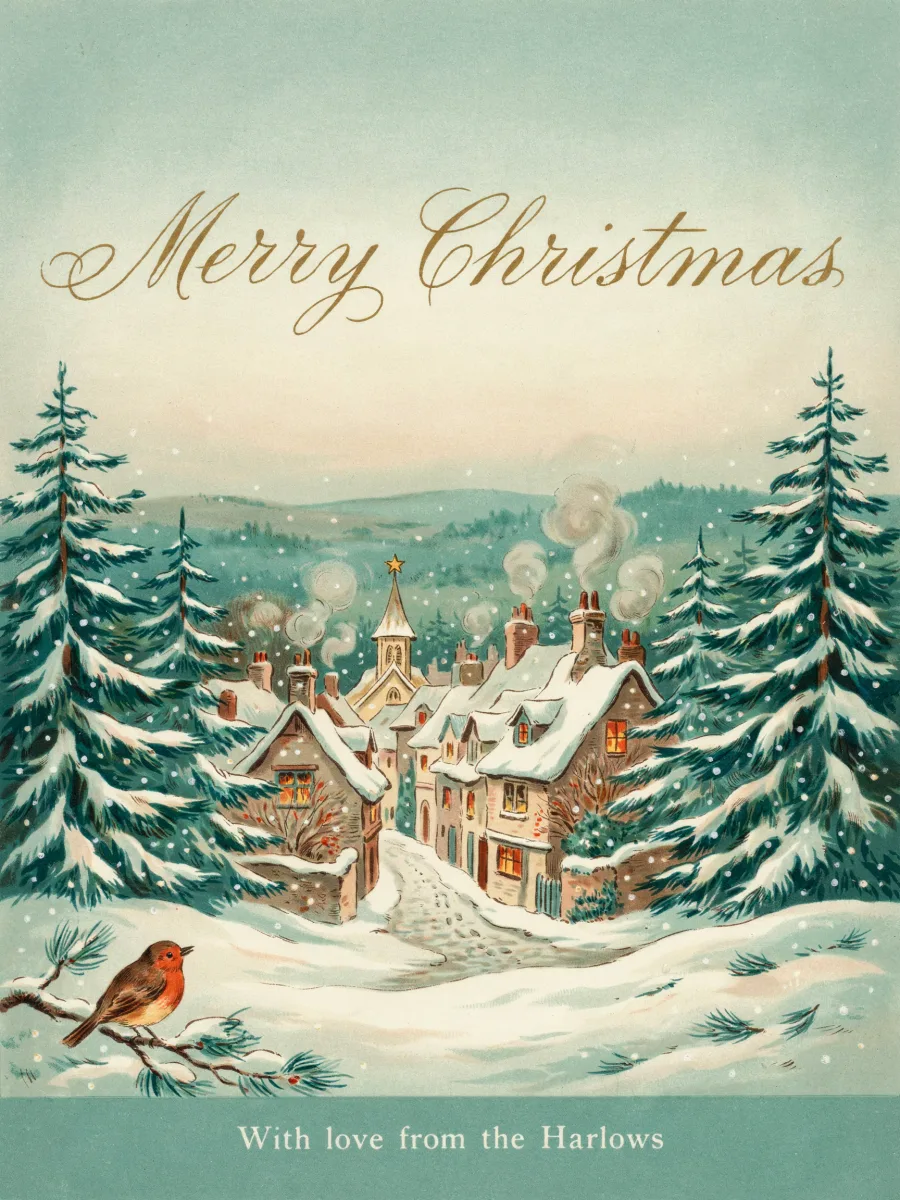
Ideogram 4.5, 11 coins. Both lines came out correctly, and it added a robin on its own. Always check the spelling of family names before printing.
2. A pet card, with space for your own words
If the greeting matters, leave room and add it afterwards. You can then change a name without redrawing the picture.
Portrait photo of a golden retriever wearing a red knit Santa hat, sitting beside a decorated Christmas tree in a cozy living room, warm string lights, shallow depth of field. The top third of the frame is calm, softly blurred dark green space. No text, no people.
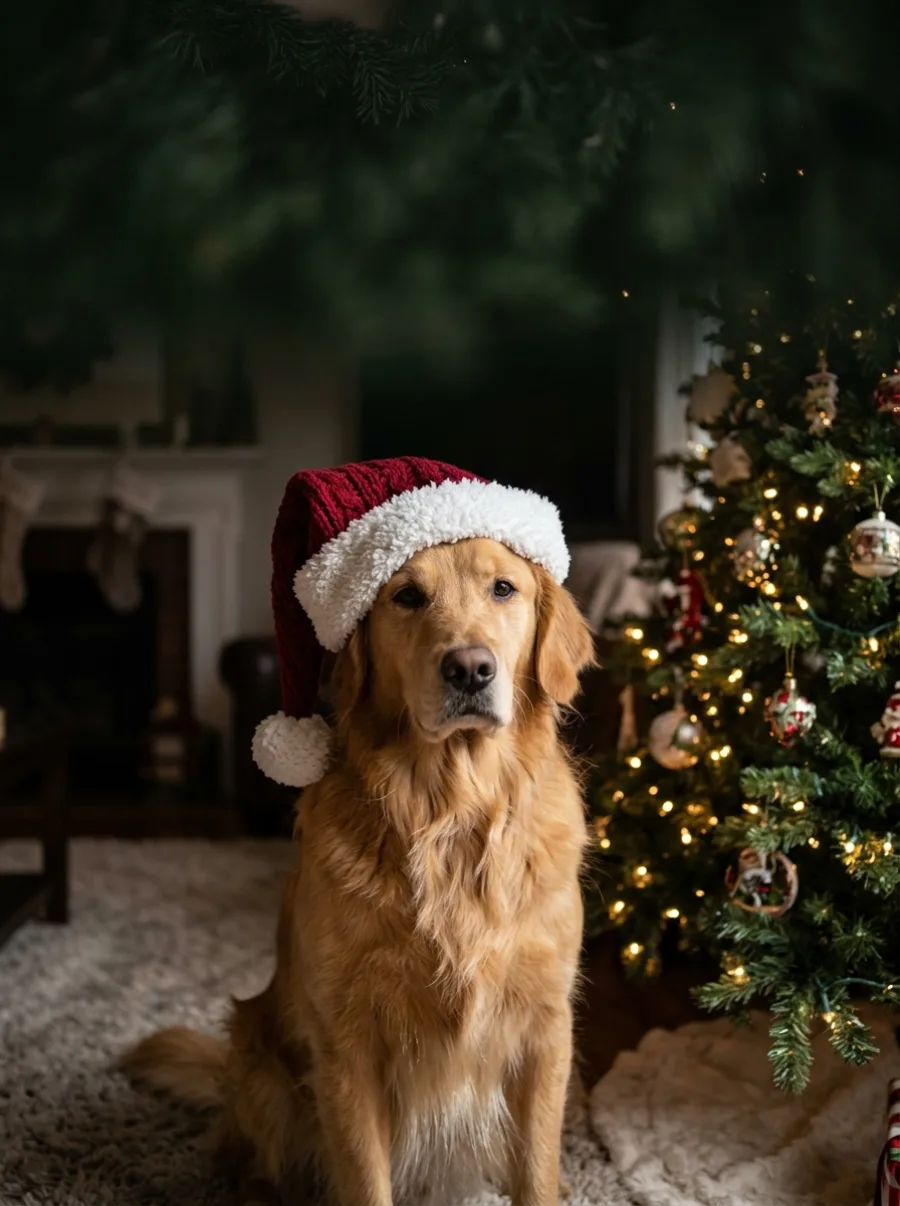
Nano Banana 2.1, 15 coins.
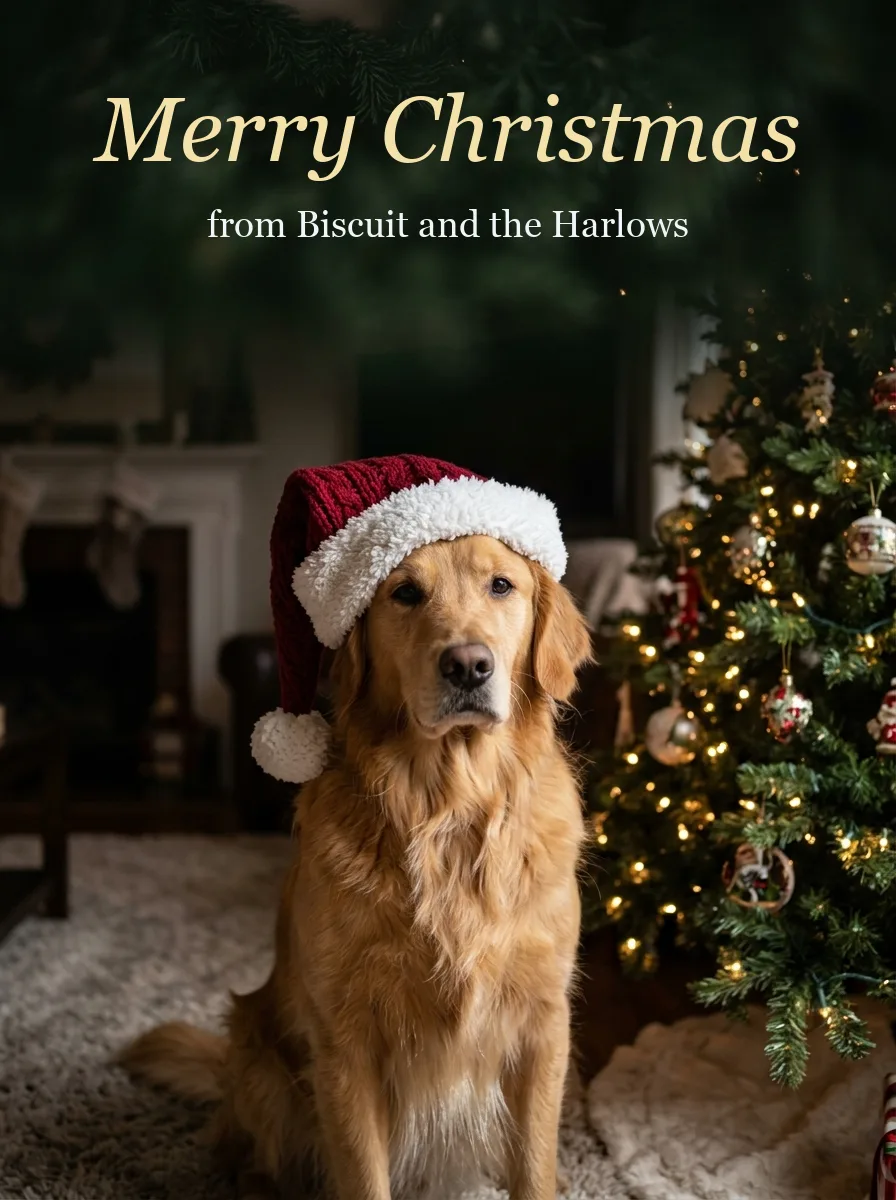
The finished card, with the greeting added in an editor. Any phone app, Canva or Pages will do.
To use your own dog or family, upload a clear photo to Nano Banana 2.1 Edit (16 coins) and start the prompt with "Keep every face exactly as in the photo". Use a sharp, well-lit picture with everyone looking roughly at the camera, and only use photos of people who are happy to be included.
3. The snow globe video
Keep it to one action. Here, the shake.
Inside a large glass snow globe on a wooden mantel, a tiny snowy village with glowing windows. A hand gently shakes the globe and the snow swirls, warm fireplace glow outside the glass, slow push-in, soft crackling fire and a gentle music box.
Gemini Omni Flash 1.2, Google's newest fast video model, 5 s at 720p with sound. The snow really responds to the shake. Default clip on inker: 112 coins, and shorter or lower-resolution clips cost less.
4. The Santa doorbell clip
A cheap format with a built-in joke. "Security camera" language does most of the work.
Doorbell security camera footage at night, wide fisheye view of a snowy front porch. Santa Claus walks up carrying a sack, places a gift on the doormat, looks straight into the camera and waves, then walks away. Black-and-white night vision, grainy, static camera.
Grok Imagine Video 1.5 Lite, 6 s, 26 coins. Santa arrives, bends down and leaves the gift. Great for surprising kids, as long as the grown-ups are in on it.
What each one costs
| Project | Model | Coins (default settings) |
|---|---|---|
| Illustrated card | Ideogram 4.5 | 11 |
| Photo card | Nano Banana 2.1 | 15 |
| Card from your own photo | Nano Banana 2.1 Edit | 16 |
| Santa doorbell clip | Grok Imagine Video 1.5 Lite | 26 |
| Snow globe clip | Gemini Omni Flash 1.2 | 112 |
New accounts get 15 free coins after confirming their email, which covers a card. Prices are inker's defaults at the time of writing, and the studio shows the exact price before you generate.
How to get a card that prints well
- Generate in the shape you'll print. Cropping later cuts off heads. Use 3:4 or 2:3 for a portrait card.
- Choose a high resolution for print. A 5 × 7 inch card at 300 dpi needs 1500 × 2100 pixels.
- Keep greetings to a few words, and add long messages in an editor.
- Download the original file, not a screenshot.
- Zoom in before printing. Check faces, hands, the number of people and every letter.
Prompt formula for Christmas videos
Subject + one festive action + setting + camera move + light + sound. Warm light against cool snow does most of the festive work. For more patterns, see our AI video prompts for TikTok, Reels and Shorts. To turn a still card into a clip, use any image-to-video model and write "keep the people unchanged".
Using it for a business?
Holiday visuals for a shop or brand follow the same steps, with your real product photo in an edit model. See How to Make Black Friday Ads With AI. Avoid named film characters and other people's trademarks in commercial work, and label realistic AI content where a platform requires it. inker outputs carry invisible AI metadata and no visible watermark.
FAQ
How do I make a Christmas card with AI?
Describe the scene and put a short greeting in quotes, or leave empty space and add the text in an editor. Generate it in the shape you'll print, then proofread every word before you print or send it.
Can AI put my family on a Christmas card?
Yes. Upload a clear photo to an image edit model and ask it to keep every face exactly as in the photo. Check the result closely, because likeness can slip, and only use photos of people who agree.
Can AI write "Merry Christmas" correctly?
Short greetings usually come out right, as in our example. Long sentences and unusual names are riskier, so check them or add them yourself.
How do I make a Christmas video with AI?
Write one festive action with one camera move, or animate a still with an image-to-video model. Five seconds is enough for most ideas.
Is there a free AI Christmas card maker?
inker gives new accounts 15 free coins after email confirmation, valid for 30 days, which is enough for one card at the default price of an 11- to 15-coin image model.
Can I use AI Christmas images commercially?
Your inker outputs belong to you to the extent the law allows (see the Terms). Avoid copyrighted characters and trademarks in anything you sell or advertise.
Examples are shown unedited apart from compression for the web, except the finished pet card, where the greeting was added afterwards. Gemini Omni Flash 1.2 background: Google's November release, covered by Aiholics.
About the author
Opeek@opeek
More from the blog
5 min read
Nano Banana Prompts: 6 Copy-Paste Prompts With Real Results (2026 Guide)
The prompt formula that works best with Google's Nano Banana image model, plus six copy-paste prompts for product shots, food, illustration, posters with text, portraits and interiors, each with the unedited result.
6 min read
How to Make Black Friday Ads With AI in One Afternoon (2026 Guide)
Black Friday 2026 is 27 November and Cyber Monday is 30 November. Here is a one-afternoon workflow for a full AI ad set: a sale poster, a hero shot, a gift scene and a vertical video, with the exact prompts, real results and what each piece costs.
5 min read
6 AI Video Prompts for TikTok, Reels and Shorts (With Real 9:16 Results)
POV, cute animals, satisfying crushes, glow-ups, epic shots and ASMR: the six short-form formats that keep working, each as a copy-paste prompt with its real vertical result from a different AI video model, and what each clip cost.